
Thing 4: Static website hosting with Github Pages
In the previous Things I explored a cheap way of hosting static web content via AWS S3. That is cool and all, but what about FREE? I came across the Pages feature on Github and looks like it is a perfect solution for free web hosting basic content!
In fact I liked this solution so much, I’m currently using it for this subdomain blog.joshsthings.com. One advantage of this is you can do SSL for free as well!
Let’s see how it works.
Goal of this thing:
What is the easiest FREE way to host a very basic static site?
Part 1: Set up the Github Repo
Start by creating a fresh new repo on Github.
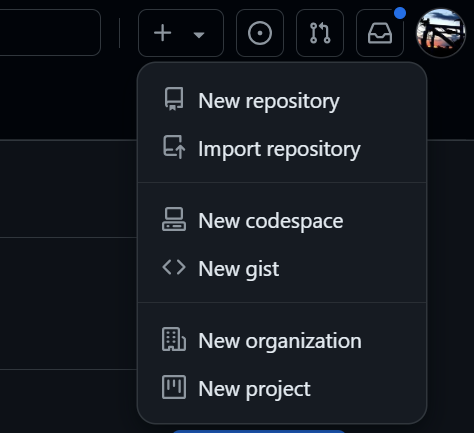
Name it something simple

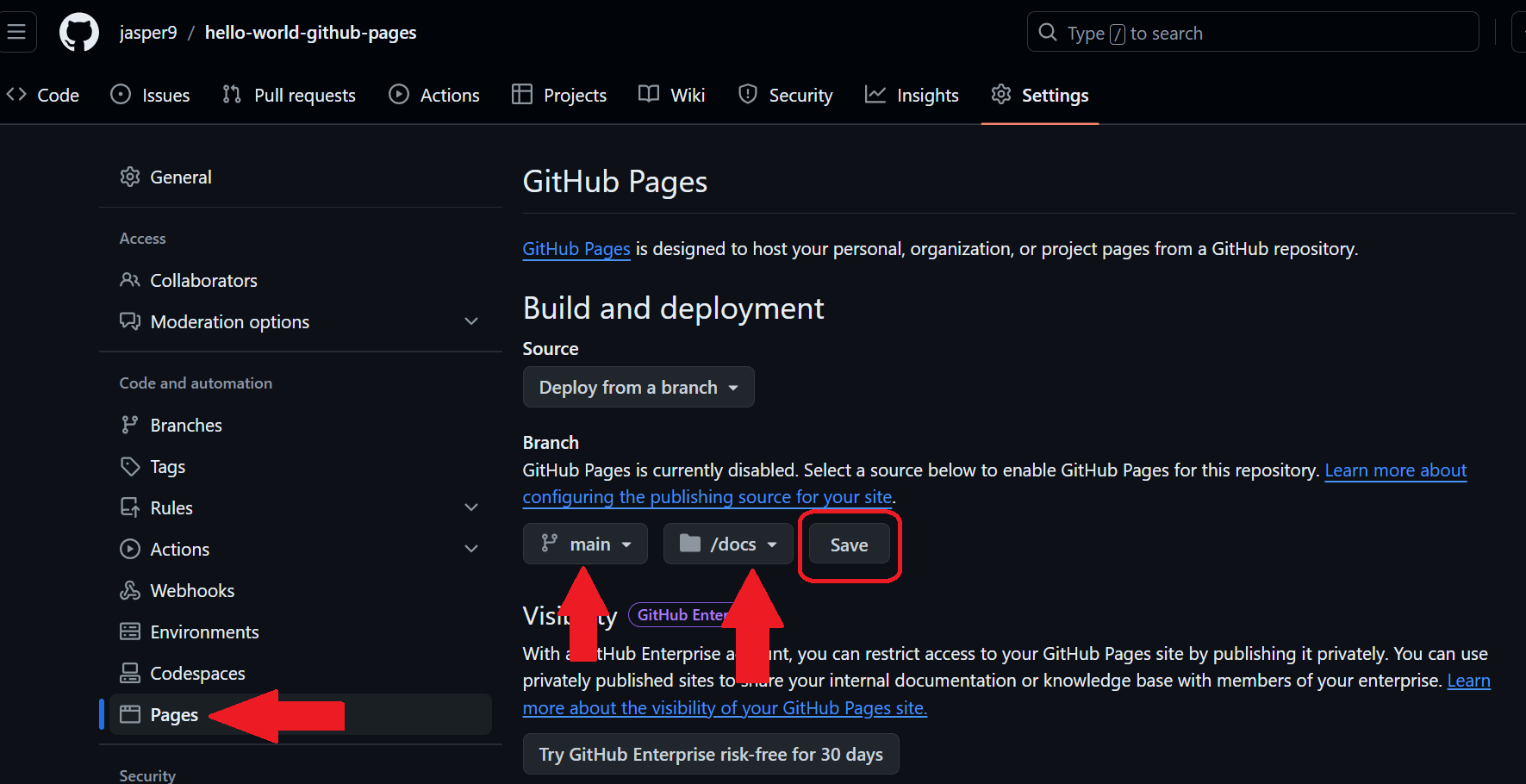
Go into the settings for the repo

Click on Pages from the Menu
Select a branch, Main for example
Pick a spot to host the web files. Docs seems to be the pattern used most often.
Click Save
Part 2: Domain Setup
Now let’s configure a subdomain to use for this site.
Plug in a fqdn in the custom domain box. Right away it tries to verify it.
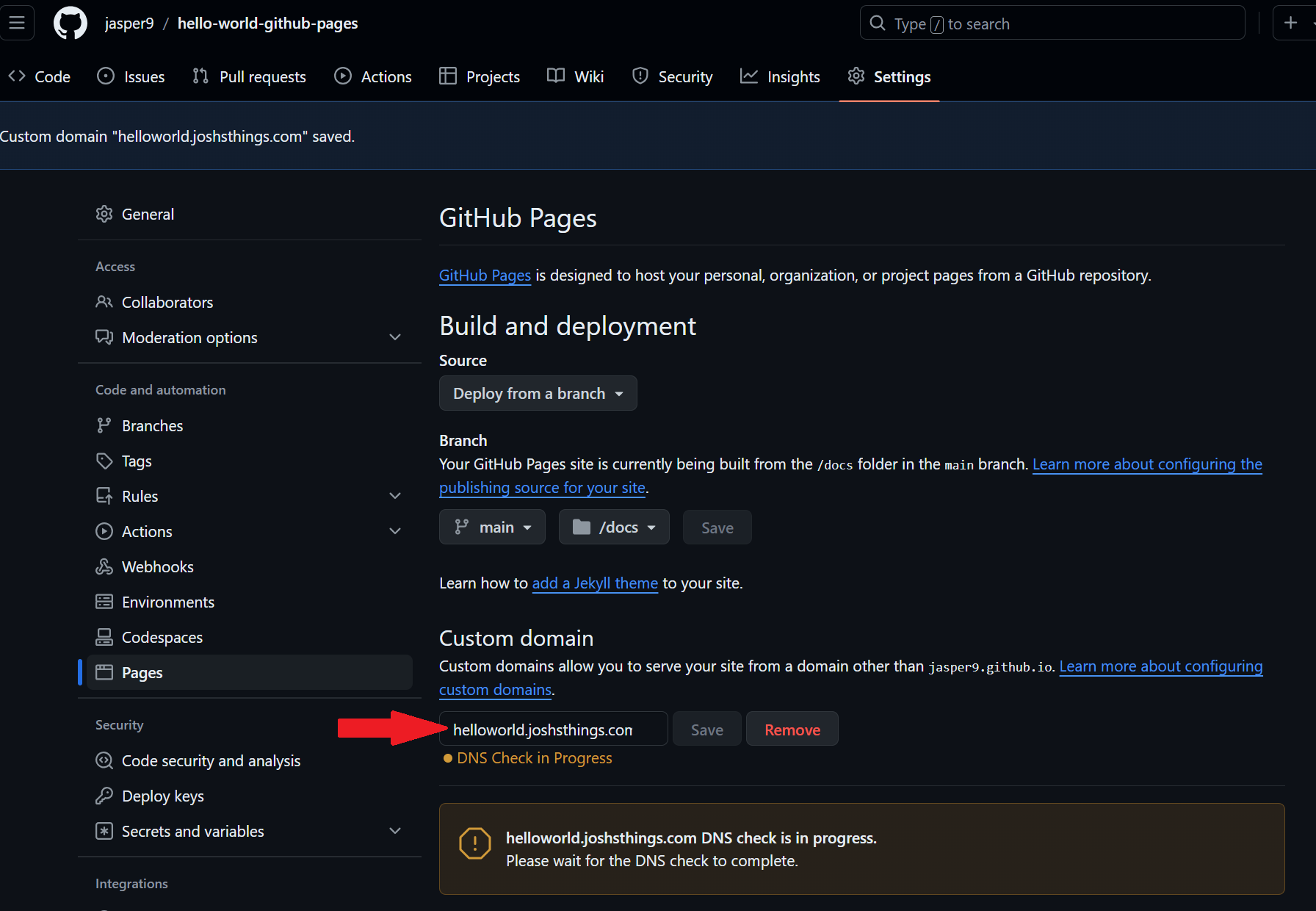
If you take too long (like I just did taking a screenshot and writing text), it will give you an ugly error message.
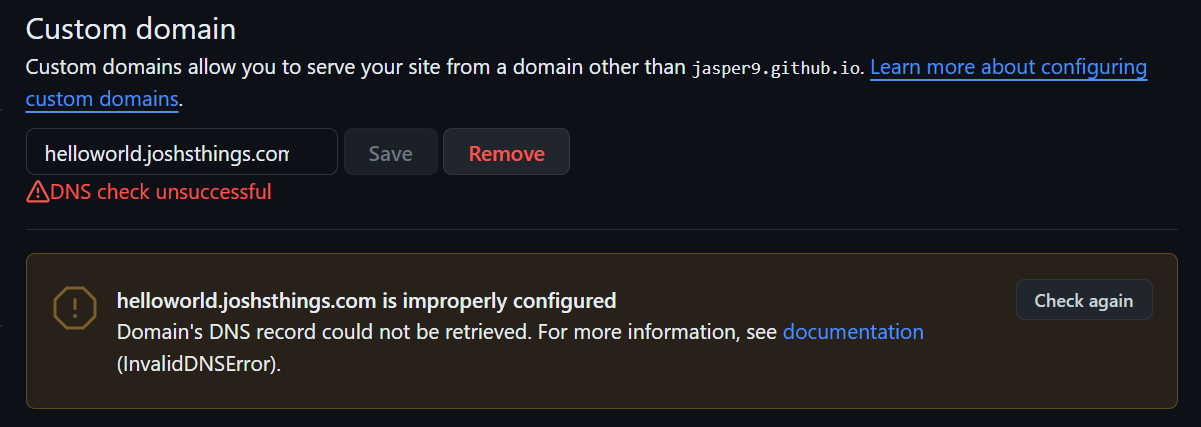
No worries. Create yourself a CNAME record in your dns zone pointing at your actual github fqdn, jasper9.github.io in my case.

Click Check Again
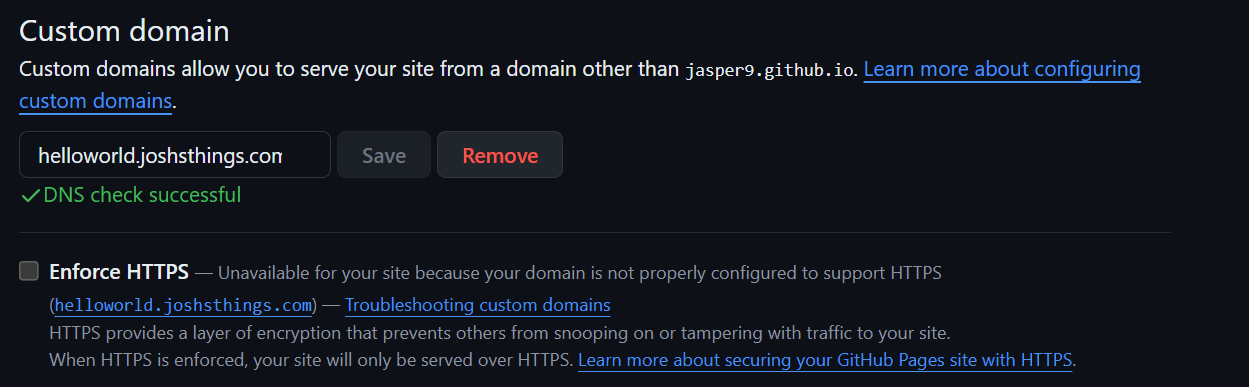
If the checkbox to enable HTTPS is not available yet, you probably just need to wait a bit. Github uses it’s own automation to request and generate certs via LetsEncrypt. Be patient.
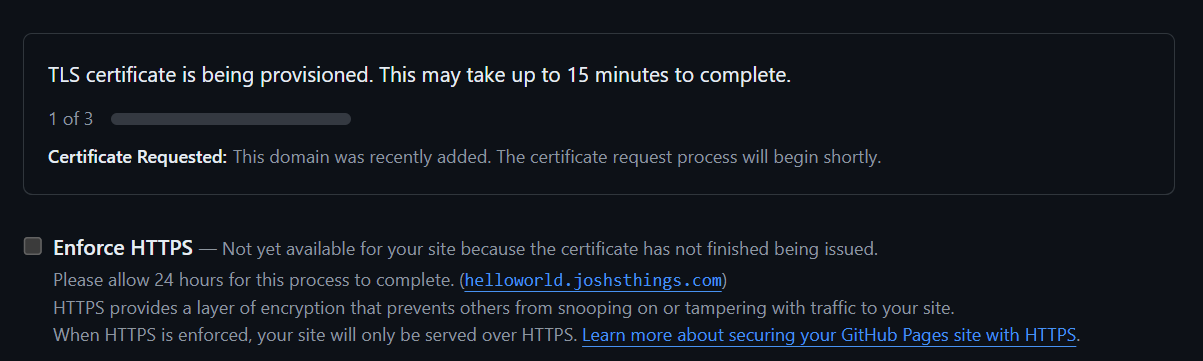
After a bit of time we’re good now.

Part 3: Add content
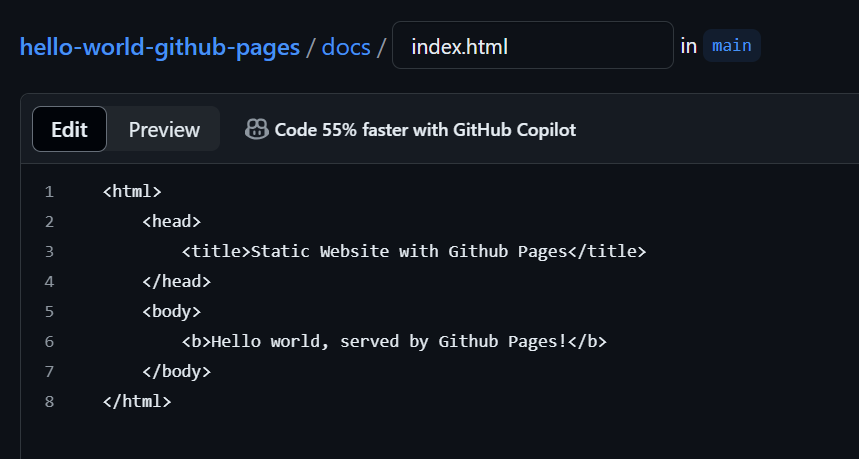
Now lets add a simple html file to the repo via the web based ide for simplicity. Click commit.
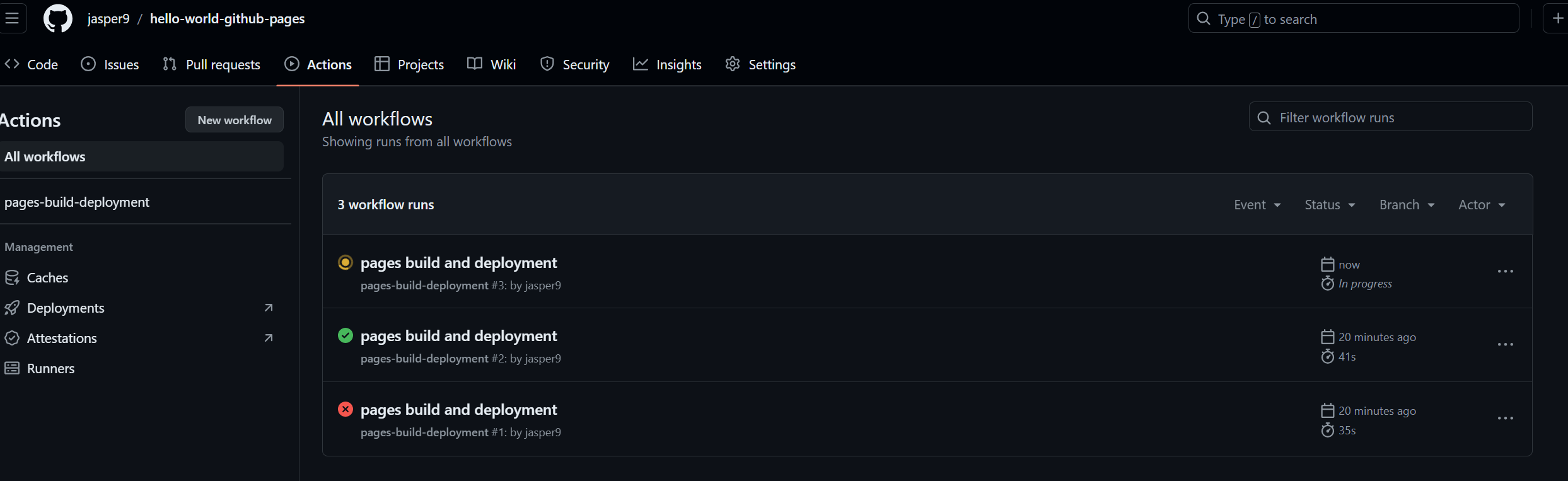
Assuming you commit this file to the same directory and branch that you configured pages settings with, if you browse to the Actions section. You should see some magic happening. This is automagically done for you from when you set up pages. You’ll see there were a couple runs already from when you set it up. The most recent one should be spawned by the commit you just made.
Now load up the url in a browser and we’re good! Notice it DOES have SSL enabled for you.

Part 4: Make it pretty
Now the rest of this can get complex fast but I’ll summarize at a high level and link to more info.
We just served a static HTML page before. However, Github Pages can use a Ruby based static site generator called Jekyll to simplify templating via markdown files (and html, css etc). For those of us that not the best front end designers, this is suuuuuuper handy.
Here’s a very quick way to apply a theme. Check out the docs for more info.
First we need to install Ruby via RVM (Ruby Version Manager), and Jekyll.
Your steps will vary, here is a quick way of doing it on an Amazon Linux instance following these docs. Now I would suggest doing this on your own laptop/desktop because there is a way to quickly load a local instance to view your content. Otherwise you’ll be doing git pushes for every. single. little. change. I already did this on my workstation, so I’ll do a brief outline of doing it on Linux to be sure I don’t miss anything.
yum install gcc -y

curl -sSL https://rvm.io/mpapis.asc | sudo gpg2 --import -
curl -sSL https://rvm.io/pkuczynski.asc | sudo gpg2 --import -
curl -sSL https://get.rvm.io | bash -s stable
source /etc/profile.d/rvm.sh
rvm get head
rvm list known
rvm install 3.3.4
ruby --version

gem install jekyll bundler
Now clone your repo. See the index.html we created previously? And let’s get started and replace that with something fancy.
# find . | grep -v .git
.
./README.md
./docs
./docs/CNAME
./docs/index.html
Now change dir into the web root and create the framework with jekyll.
cd docs
rm -f index.html
jekyll new --skip-bundle --force .
A few nit picky things you need to do, directly from the GitHub Docs (steps 9 and 10):
- Add “#” to the beginning of the line that starts with gem “jekyll” to comment out this line.
gem “jekyll”, “~> 3.10.0”
- Add the github-pages gem by editing the line starting with # gem “github-pages”
At the current time it is:
gem "github-pages", "~> 232", group: :jekyll_plugins
Now do a bundle install
bundle install
Update your .gitignore file to ignore one of the ruby files
Gemfile.lock
Add some content to the base index file index.markdown
---
# Feel free to add content and custom Front Matter to this file.
# To modify the layout, see https://jekyllrb.com/docs/themes/#overriding-theme-defaults

layout: home
---
Hello World from Github Pages!!!
Now push it up to github
git add .
git commit -m 'Initial GitHub pages site with Jekyll'
git push
Check the actions page for any errors

Load the webpage and it’s live!
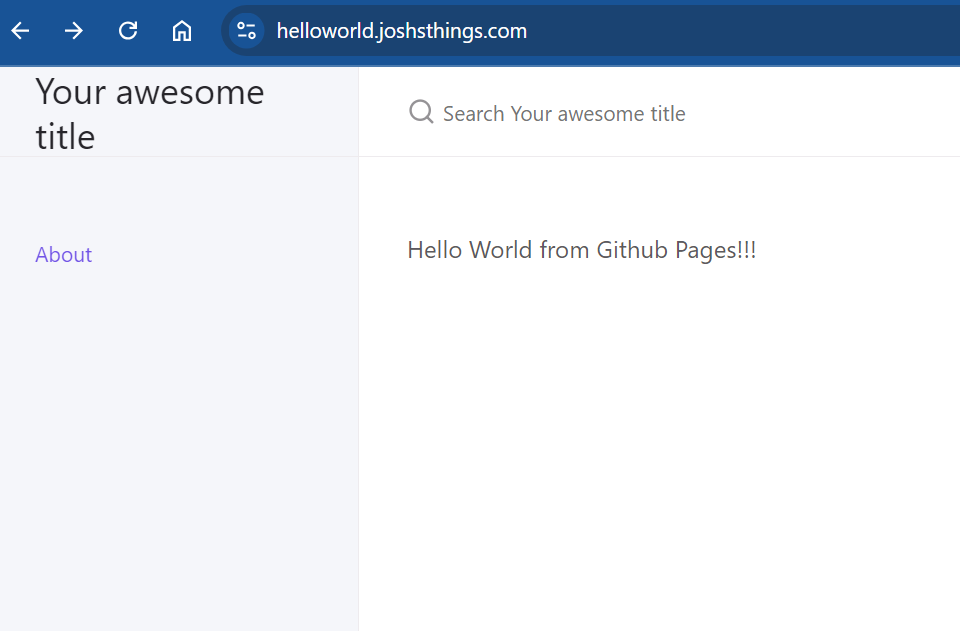
The Hello World text came from the index.markdown file we edited.
And the Welcome to Jekyll! bit comes from a file in the _posts sub directory. Cool huh?

Now let’s add a theme! This list will get your started. But there are tons of others.
Let’s try the theme just-the-docs.
Open the automatically generated file _config.yml
Replace the default theme minima with just-the-docs using the remote_theme capability. Save, commit, push.
# Build settings
#theme: minima
remote_theme: just-the-docs/just-the-docs

plugins:
  - jekyll-feed
  - jekyll-remote-theme
Update your Gemfile with:
gem "jekyll-remote-theme"
Do a quick bundle install.
Now after each push check the actions page or wait about 30s to 40s and refresh your browser.
Neat! This one is quite different.
Part 5: Local Development
Lastly, let’s see how we can see previews on our local workstation for faster iterative development.
Switching back to our workstation, I cloned the repo. Opened it in VS Code. And here we are.
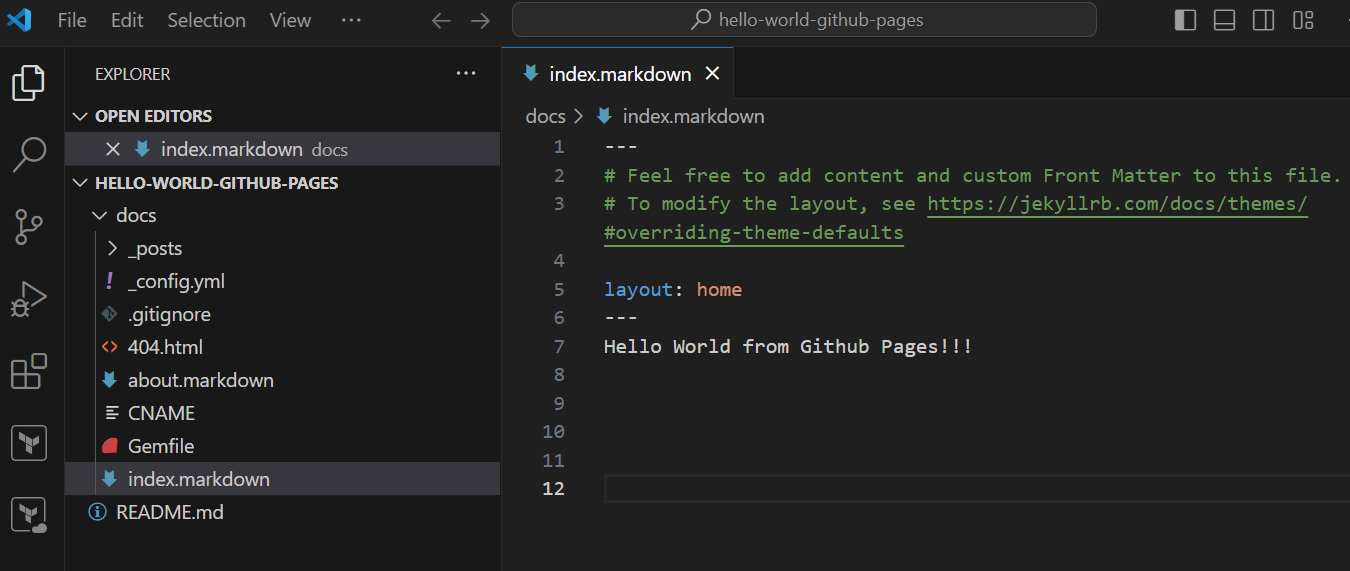
Let’s make a small text update.
---
layout: home
---
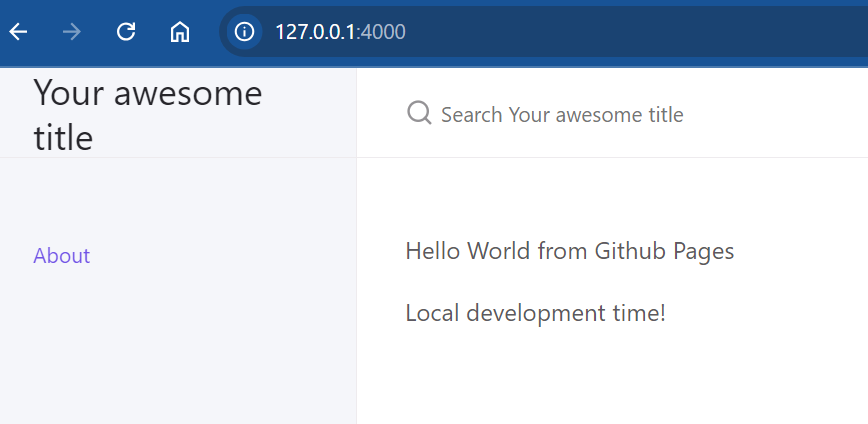
Hello World from Github Pages

Local development time!
Now make sure you have all dependencies installed (Ruby, bundler, etc). You may have to do a bundle install to get your local environment up to date.
On Windows I did have to make this change in Gemfile due to a conflict or some other issue
# Performance-booster for watching directories on Windows
#gem "wdm", "~> 0.1.1", :platforms => [:mingw, :x64_mingw, :mswin]
gem "wdm", ">= 0.1.0", :platforms => [:mingw, :x64_mingw, :mswin]
Run the command:
bundle exec jekyll serve
...
Server address: http://127.0.0.1:4000/
Server running... press ctrl-c to stop.
And a local instance should spawn for you. Load up the URL it returns. And you’re good!
References: